How it works
Proof you can show anyone who asks
When a resident, a board member or the Department of Justice asks whether your documents are accessible, you should be able to answer with evidence, not a promise.
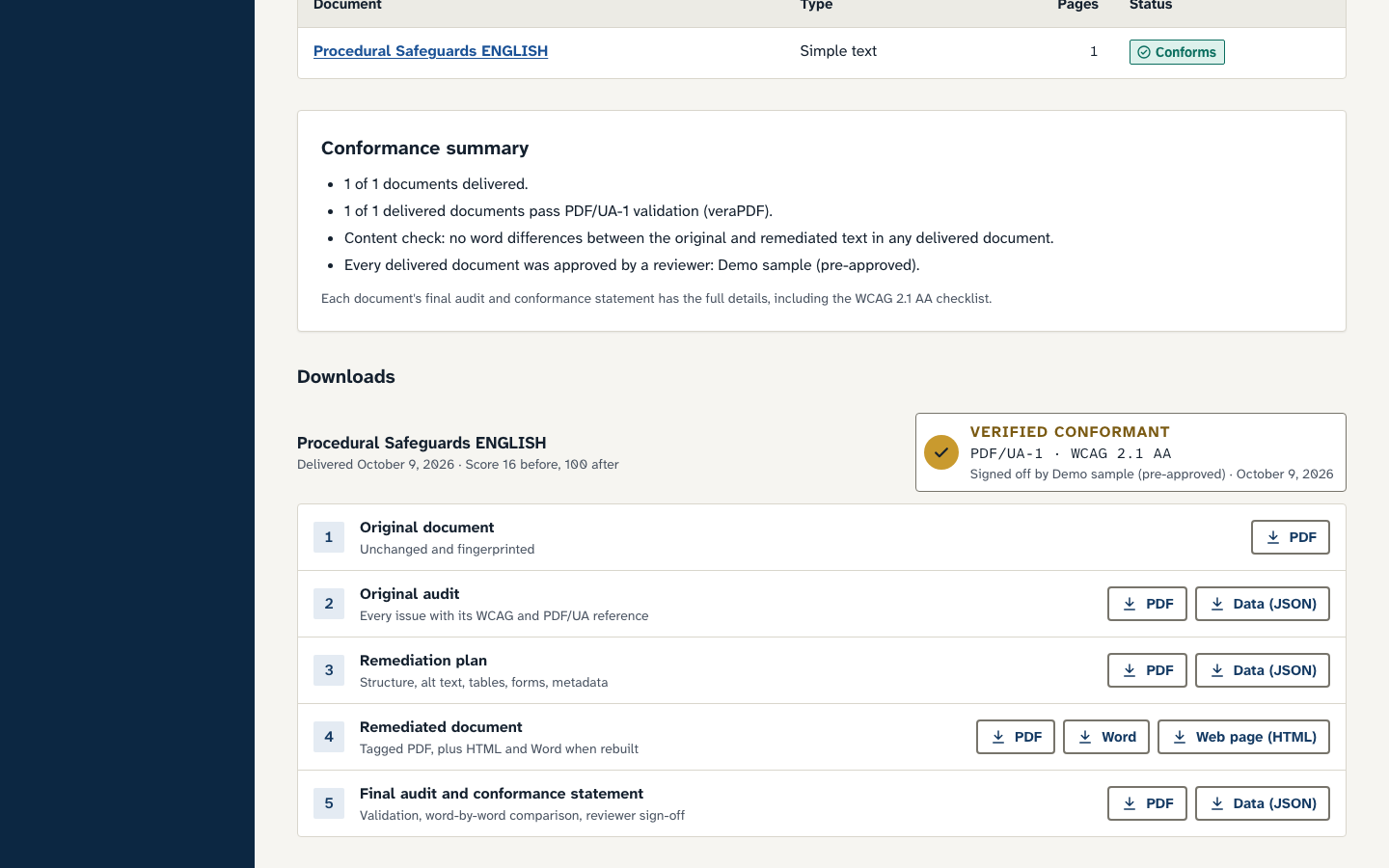
Five files for every document
Together they show what was wrong, what changed, that the wording did not change, and that the result passes the accepted validation for accessible PDFs.
- Original documentKept unchanged and fingerprinted, so there is never a question about what we started from.
- Original auditEvery issue in plain language, with its WCAG 2.1 criterion and PDF/UA clause, and a recommendation: fix, archive, web page or remove.
- Remediation planWhat we changed and why: structure, alternative text, tables, forms and metadata.
- Remediated documentA tagged PDF, plus HTML and Word versions when we rebuild the file, so your staff can maintain it.
- Final audit and conformance statementValidation results, a word-by-word comparison with the original, and the reviewer's name and date.
The seal: verified, by which standards, and by whom
Where you find it
Where to start
Start with a free look at your website. We will show you which documents matter most, and which may not need fixing at all.